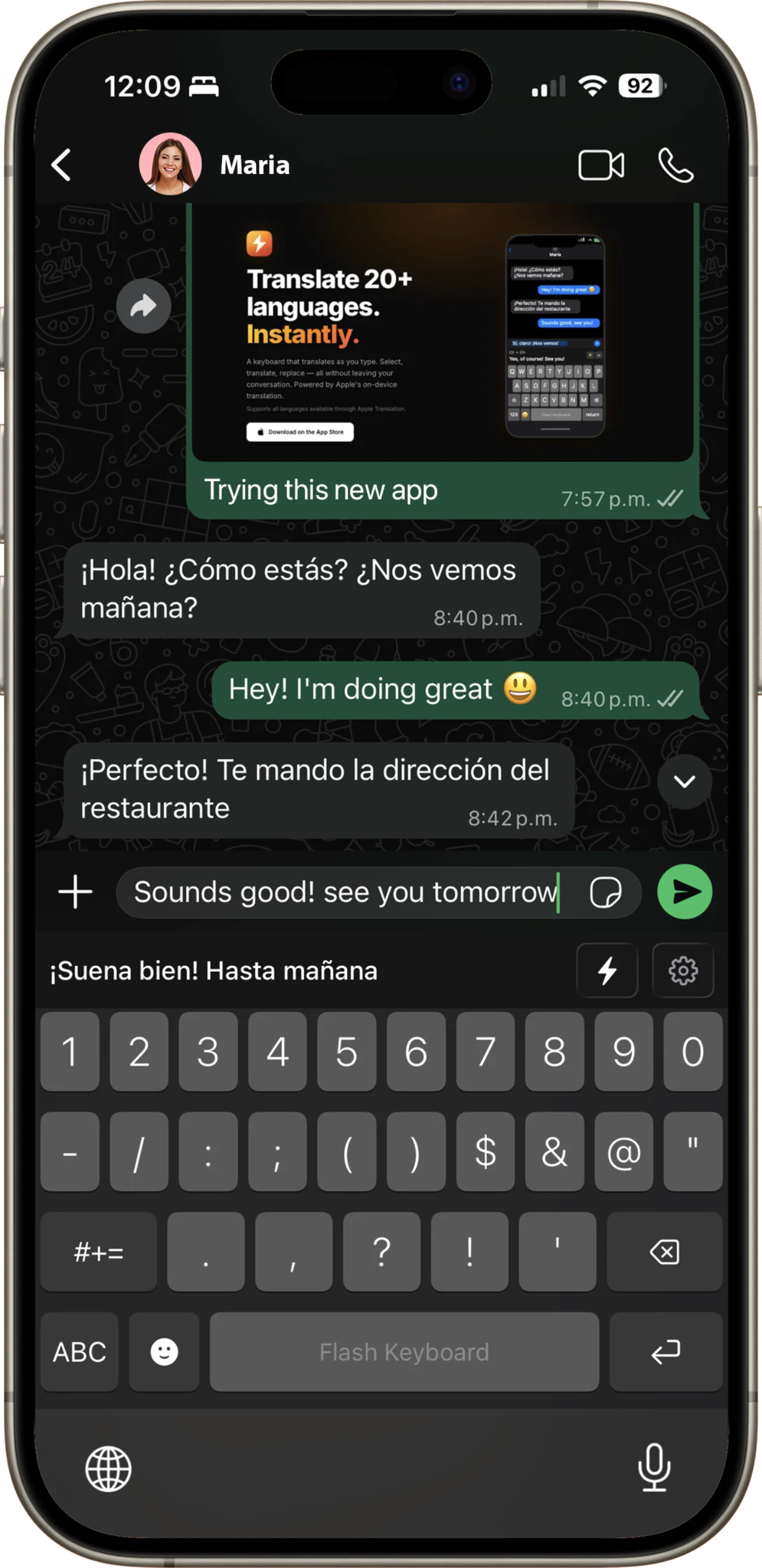
Translation, utilities, and smart tools — all without leaving your conversation.
Select text, see the translation, tap to replace. Zero app switching required.
Free translation runs entirely on-device using Apple's framework — your text never leaves your phone. Flash Pro sends only the text you choose to translate to Microsoft Azure, nothing else.
10 languages free, offline, on-device — no downloads after setup. Upgrade to Flash Pro for 135+ languages including Japanese, Chinese, Arabic, Korean, and more.
Multilingual spell check that knows which language you're typing in. Learns from your corrections over time.
Three simple steps. No app switching, no copy-paste gymnastics.
Write your message in any supported language, just like you normally would.
Highlight your text or tap the ⚡ key once. The translation appears instantly above the keyboard.
Tap ⚡ again or the translation bar to replace your text. Done.
Offline translation built in — no subscription needed. Upgrade for the full world.
On-device via Apple Translation. No downloads after initial setup. 100% private.
Powered by Microsoft Azure Neural Machine Translation — higher accuracy, more natural results, and languages Apple doesn't offer.
Start free, upgrade when you need more languages.
Subscription auto-renews. Cancel anytime in Apple ID settings.
Packed with features that make multilingual communication effortless.
Select any text and the translation appears instantly above your keyboard. Tap to replace.
Calculator, unit conversion, timezone, dates, timer, and reminders — all appear as you type.
Multilingual autocorrect that knows your language. Learns from corrections over time.
Save your most-used messages and insert them with a single tap. Perfect for frequent replies.
Quick access to emojis right from the keyboard — search by name, country, or keyword.
QWERTY, AZERTY, Arabic, Korean, Japanese Romaji, Chinese Pinyin, and more.
Type "120+15%" or "split $90 between 3" and see the answer instantly. Tap to replace.
Type "10 miles" or "72°F" and see the converted value appear. Length, weight, temperature, and more.
Type "5pm tokyo" or "time in paris" and instantly see the converted time in your timezone.
Type "in 2 weeks" or "next friday" and see the exact date. Tap to insert it formatted.
Type "timer 5 min" and tap to start a countdown with a push notification when done.
Type "buy milk" or "remind dentist" and tap to create an Apple Reminder instantly.
Feel every keypress with subtle haptics that make typing satisfying and precise.
Slide on the spacebar to move the cursor precisely, just like a trackpad.
Flash Keyboard uses Apple's on-device Translation framework for free translation. Every free translation is processed locally on your iPhone — nothing is sent to any server, ever.
When you enable Flash Pro's online translation, only the specific text you select to translate is sent to Microsoft Azure. No keystrokes, no message history, no personal data. You're in full control of what gets translated.